


Google’s Magic Pointer Could Change How We Use Chrome Forever
Google’s push to reinvent personal computing took a dramatic step forward this week, and one feature is quickly emerging as the centerpiece of that vision: Magic Pointer.
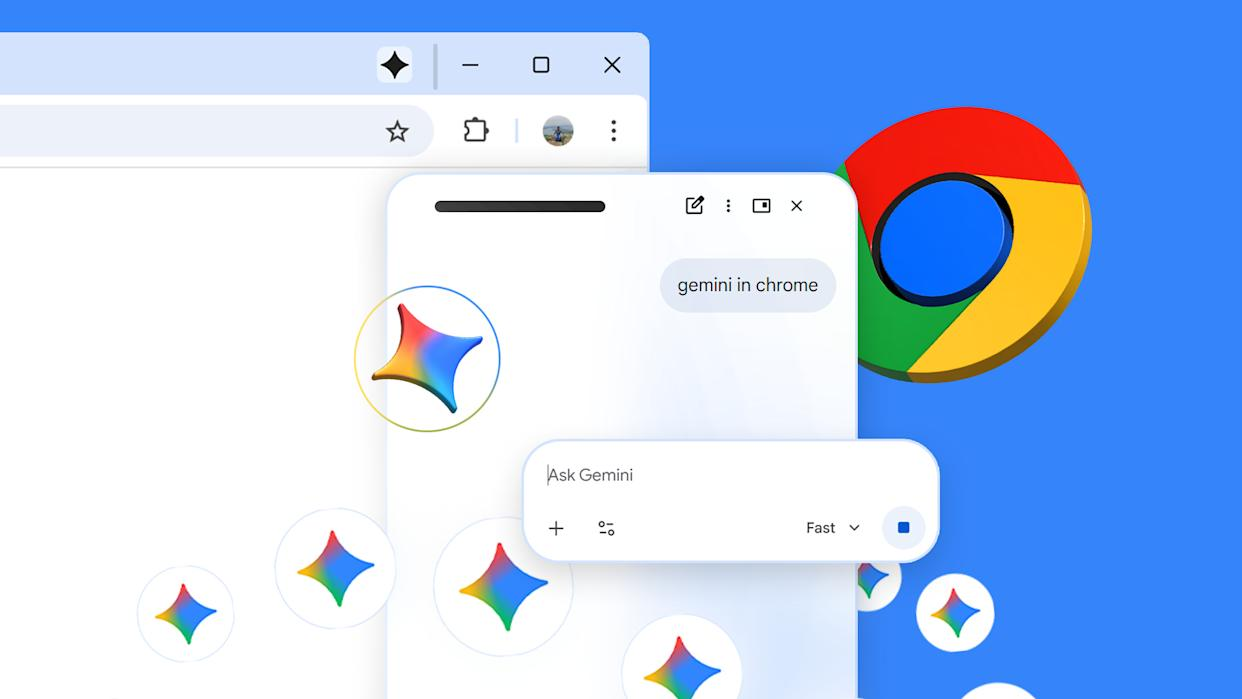
Originally introduced during Google’s Android Show I/O Edition event as a flagship capability for the newly announced Googlebook laptops, Magic Pointer is now confirmed to be heading to Gemini inside Chrome. That move could significantly expand the reach of Google’s AI ambitions beyond dedicated hardware and into one of the world’s most widely used browsers.
Rather than treating AI as a separate app or chatbot window, Google appears to be moving toward a future where artificial intelligence becomes embedded directly into the user interface itself — responding contextually to whatever is on screen.
From Chromebooks to Googlebooks
One of the biggest announcements from Google’s recent showcase was the debut of the Googlebook lineup, a new category of AI-first laptops positioned as the successor to Chromebooks.
According to Google, the new devices are designed around what it calls “Gemini Intelligence”, an ecosystem where AI is deeply integrated into everyday computing tasks.
The company described this transition as a shift “from an operating system to an intelligence system,” signaling a broader strategy where AI becomes the core layer through which users interact with software, files, and even the desktop itself.
At the center of that strategy is Magic Pointer.
What Exactly Is Magic Pointer?
Magic Pointer reimagines the computer cursor as an AI-powered assistant rather than a simple navigation tool.
Instead of opening a separate chatbot window, users can activate Gemini contextually by moving or “wiggling” the cursor on screen. Once activated, the system analyzes whatever the user is viewing and offers actions powered by Google’s AI models.
Google demonstrated several examples during its keynote presentation:
- Writing assistance
- Instant content summaries
- Calendar event creation
- Image editing
- Spreadsheet manipulation
- Smart comparisons while browsing
The goal is to eliminate the friction of switching between tabs, apps, or copy-pasting information into an AI tool manually.
In practical terms, Magic Pointer turns nearly every element on screen into something interactive and AI-aware.
Gemini in Chrome Gets Contextual Intelligence
The most important development may be Google’s confirmation that Magic Pointer is coming directly to the desktop version of Gemini in Chrome.
That matters because Chrome has billions of users globally, making it a far larger platform than any upcoming Googlebook hardware rollout.
According to demonstrations shared by Google and DeepMind, users will be able to interact with webpage content in highly contextual ways. Examples include:
- Selecting products on a webpage and asking Gemini to compare them
- Highlighting recipe ingredients and asking the AI to double quantities
- Pointing at PDF files and generating bullet-point summaries
- Hovering over data tables and converting them into charts
- Merging spreadsheet columns using natural language instructions
DeepMind described the system as an effort to “push the boundaries of AI tools that live in dedicated windows.”
In other words, Google wants AI to become ambient and integrated — always available within the flow of work rather than requiring users to stop and open another interface.
Why This Is Bigger Than a Cursor Feature
At first glance, Magic Pointer might sound like a novelty enhancement for Chrome or Googlebooks. But the technology hints at something much larger: a redesign of the desktop computing experience itself.
For decades, the desktop metaphor has remained largely unchanged. Users click icons, open applications, drag files, and type commands manually.
Google’s new approach attempts to introduce a contextual AI layer over all those actions.
Instead of:
- Opening Calendar
- Creating a new event
- Copying details from an email
…a user could simply hover over a date and ask Gemini to schedule it automatically.
Instead of:
- Downloading images
- Opening Photoshop
- Manually editing files
…users could point at visual elements and instruct Gemini conversationally.
This shift resembles how smartphones transformed computing by simplifying interactions through touch. Google appears to believe AI can become the next major interface evolution.
The Chrome Strategy Makes Sense
Bringing Magic Pointer into Chrome is strategically important for Google.
While Googlebooks may initially target premium laptop buyers, Chrome already has enormous reach across Windows, macOS, Linux, and ChromeOS devices.
Deploying Gemini-powered contextual actions through Chrome allows Google to:
- Gather user feedback rapidly
- Normalize AI-assisted browsing
- Compete more aggressively with Microsoft Copilot
- Strengthen Gemini adoption
- Increase dependence on Google’s ecosystem
It also allows Google to integrate AI into everyday workflows without requiring consumers to purchase entirely new hardware.
Competition With Microsoft and Apple Is Intensifying
The timing of Google’s announcement is notable.
Microsoft has heavily integrated Copilot into Windows and Office, while Apple is expected to continue expanding Apple Intelligence across macOS and iOS.
Googlebooks — combined with Magic Pointer and Gemini in Chrome — represent Google’s clearest attempt yet to compete in the emerging AI operating system race.
Unlike traditional assistants that wait for prompts, contextual AI systems actively understand what is happening on screen in real time.
That capability could become a defining battleground among major tech companies over the next several years.
There Are Still Big Questions
Despite the excitement, Google has not yet confirmed a rollout schedule for Magic Pointer in Chrome.
There are also several unanswered questions surrounding availability and pricing.
Reports suggest the feature may initially launch only in English-speaking markets, mirroring Google’s approach with other AI rollouts. There is also speculation that some capabilities could remain locked behind Gemini subscription tiers.
Privacy concerns are another major issue.
Because Magic Pointer relies on analyzing on-screen content contextually, users may wonder:
- What data is processed?
- Whether screen contents are uploaded to Google servers
- How sensitive information is handled
- Whether enterprises will trust the feature in workplace environments
Google has not yet provided detailed technical explanations regarding those concerns.
The Hallucination Problem Remains
User skepticism also remains strong.
One early reaction summed up a common concern:
“Sounds great, doesn’t works… yet! The whole experience can be fluid as in the video, but imagine the pain of explaining to the AI when they don’t do what you want or they start hallucinating with the information given.”
That criticism highlights a broader challenge facing AI-powered operating systems.
While demonstrations often appear seamless, real-world usage can expose reliability issues, misunderstandings, and hallucinations — especially when AI is deeply integrated into productivity workflows.
If Magic Pointer misinterprets information, edits the wrong file, or generates inaccurate outputs, users may quickly lose trust in the system.
Google’s success may ultimately depend less on flashy demos and more on whether the AI consistently performs useful actions accurately.
Google’s Long-Term Vision Is Becoming Clear
Taken together, Googlebooks, Gemini, Android integration, and Magic Pointer reveal a much broader ambition.
Google is no longer treating AI as an add-on feature.
Instead, the company appears to be building toward a future where:
- Browsers become intelligent workspaces
- Operating systems become AI-driven assistants
- Applications become secondary layers
- Natural language becomes a core interface method
Magic Pointer may look like a cursor upgrade today, but it could ultimately represent one of the earliest signs of how desktop computing is about to change.
And if Google succeeds, the humble mouse pointer may become one of the most important AI interfaces of the next decade.


